Automatic Comments in PDF Reports
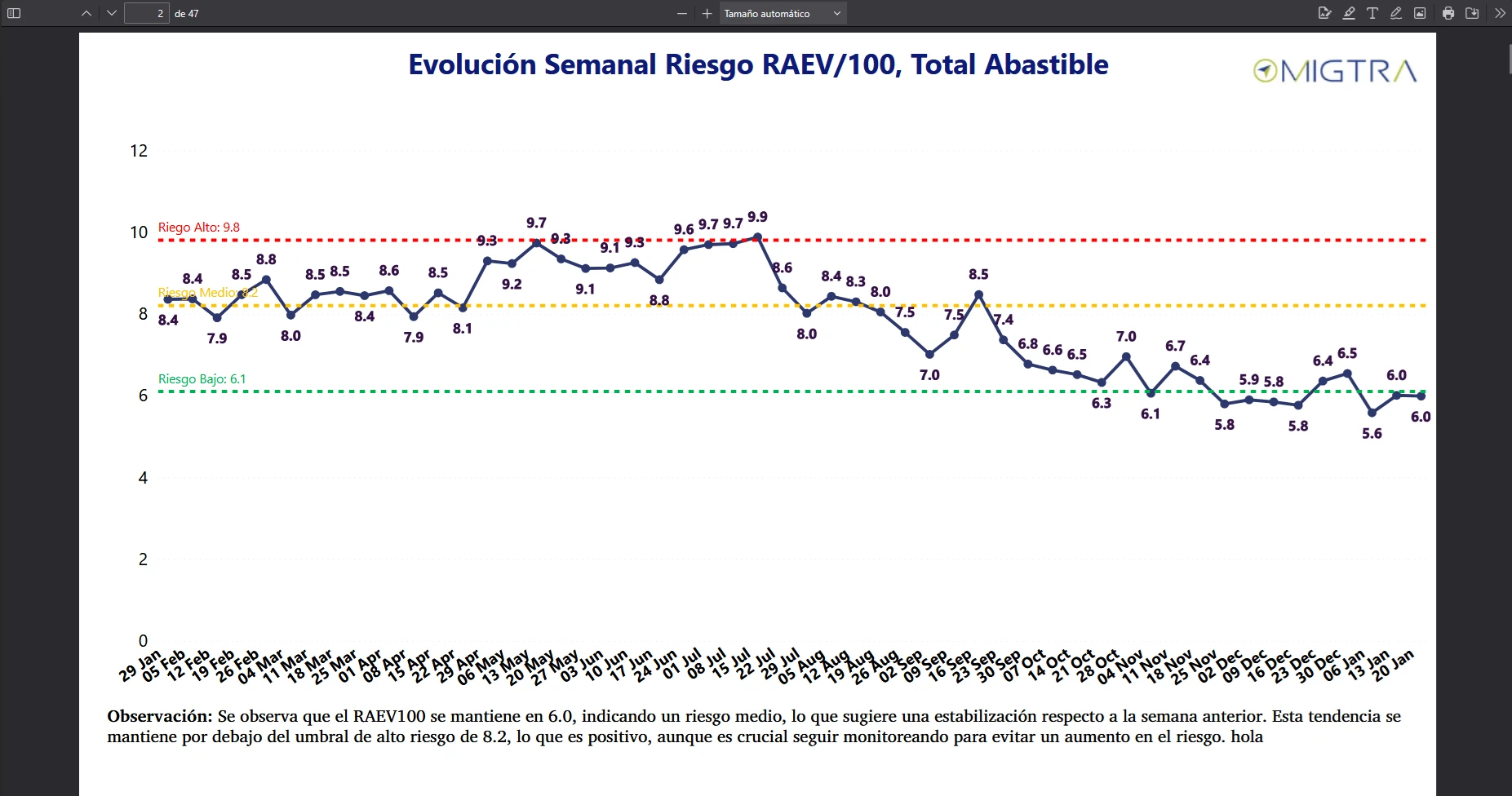
Internal web application for a Chilean road safety company that generates automatic comments in PDF reports generated in Power BI.

Tech Stack
| Layer | Technologies |
|---|---|
| Frontend | React 18, TypeScript (strict), Vite 6, TailwindCSS v4 |
| UI Components | MUI Material, Lucide React, React Dropzone |
| Backend | FastAPI, Uvicorn, ThreadPoolExecutor |
| AI / LLM | OpenAI Assistants API (gpt-4o-mini + code_interpreter) |
| Data Processing | Pandas, OpenPyXL |
| PDF Manipulation | PyMuPDF (reading, PNG rendering, HTML insertion) |
| State / Routing | React Context API, React Router DOM v7 |
Overall Architecture
┌──────────────┐     POST /upload          ┌──────────────────────────────────┐
│   Frontend   │ ──────────────────────────▶│          Backend (FastAPI)        │
│  React + TS  │                            │                                  │
│  TailwindCSS │ ◀──────────────────────────│  ┌──────────┐  ┌──────────────┐ │
└──────────────┘     JSON + PNGs + PDF      │  │  upload   │  │  generate    │ │
                                             │  └──────────┘  └──────┬───────┘ │
                                             │                       │         │
                                             │  ┌──────────┐  ┌──────▼───────┐ │
                                             │  │  apply   │  │  regenerate  │ │
                                             │  └────┬─────┘  └──────────────┘ │
                                             │       │                         │
                                             └───────┼─────────────────────────┘
                                                     │
                                                     ▼
                                            ┌─────────────────┐
                                            │   OpenAI API    │
                                            │  (Assistants)   │
                                            └─────────────────┘
Data Flow
- Upload — The user drags and drops a PDF named following the convention
Company - Week N YYYY.pdf. - Parsing — The backend extracts the client name and week, then downloads data from an external REST API.
- Extraction — PyMuPDF extracts titles from each PDF page and classifies the chart type (ranking, evolution, vehicles).
- Filtering — Each page generates an individual CSV by applying client-specific filters based on the detected chart type.
- Rendering — A PNG image is exported per page for frontend preview.
- AI — Each CSV is converted to text, a prompt is built with the title, client context, and data, and sent to the OpenAI assistant.
- Review — The user sees each page with its generated observation, and can approve, edit, delete, or regenerate any of them.
- Export — Final observations are inserted as HTML at fixed positions in the PDF using PyMuPDF.
Key Features
- Automatic AI-generated observations contextualized with real report data and client metadata.
- Extensible multi-client support with a plugin system: adding a new client requires only two files without modifying the core.
- Parallel processing of up to 8 pages simultaneously with
ThreadPoolExecutorto minimize latency. - Full preview of each PDF page as a PNG image alongside its generated observation.
- Interactive review workflow — approve, inline edit, AI-regenerate, or delete observations page by page.
- Professional typographic insertion in PDF with Montserrat-Regular 24px font via PyMuPDF’s
insert_htmlbox. - Decoupled architecture — independent frontend and backend, communicating via REST/JSON.
User Flow
Screen 1 — Home
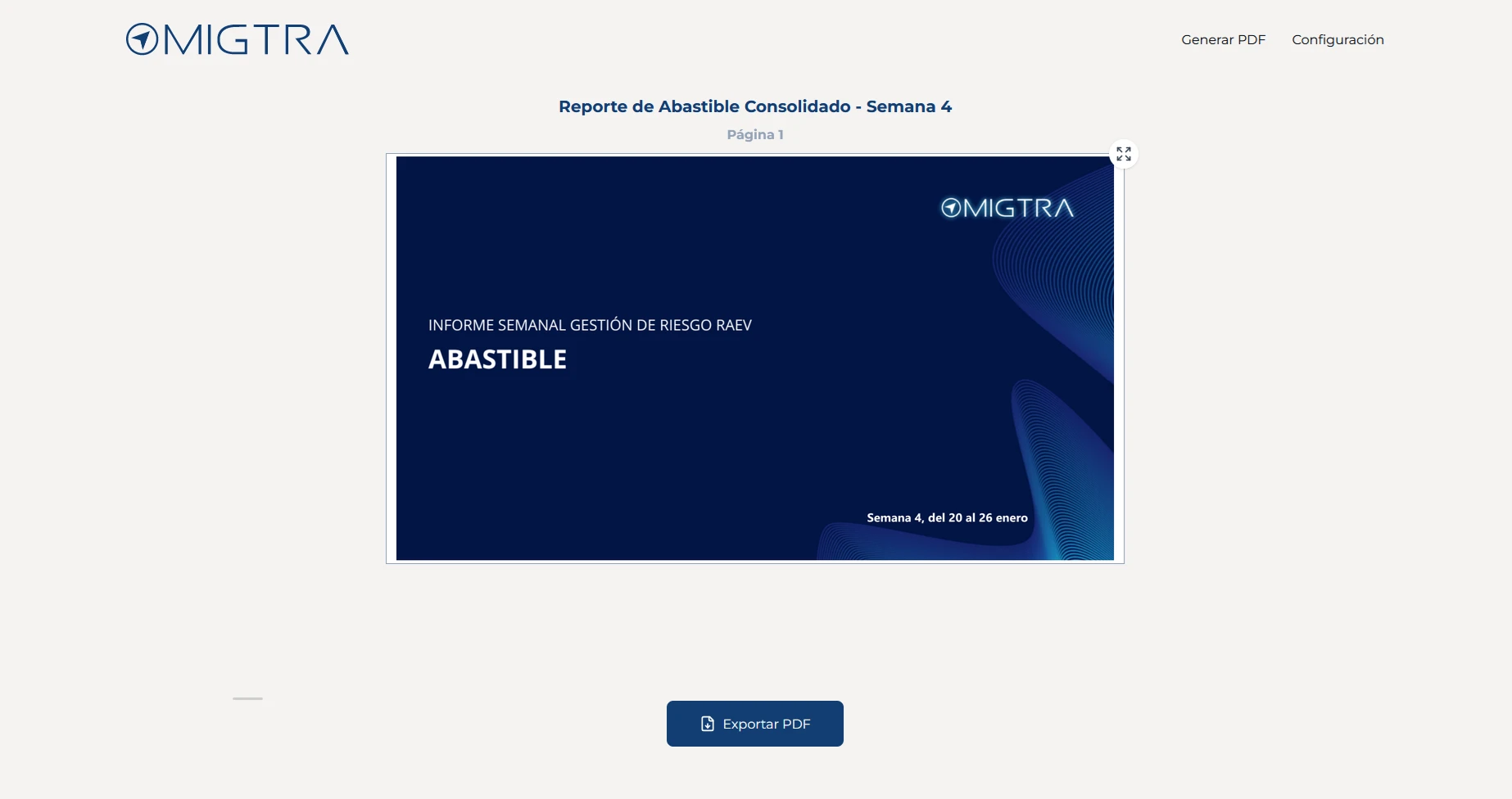
The user sees examples of the expected file name format and drags/drops their PDF. The frontend calls POST /upload and redirects to the reports view.
Screen 2 — Generation
When the reports view loads, POST /generate-observations is automatically called. The backend:
- Copies the PDF to the client/week working directory.
- Exports CSVs per page by filtering data based on the detected chart type.
- Renders PNGs of each page.
- Sends each page (via CSV + prompt) to the OpenAI assistant in parallel.
- Returns the list of observations, PNG URLs, and excluded pages.
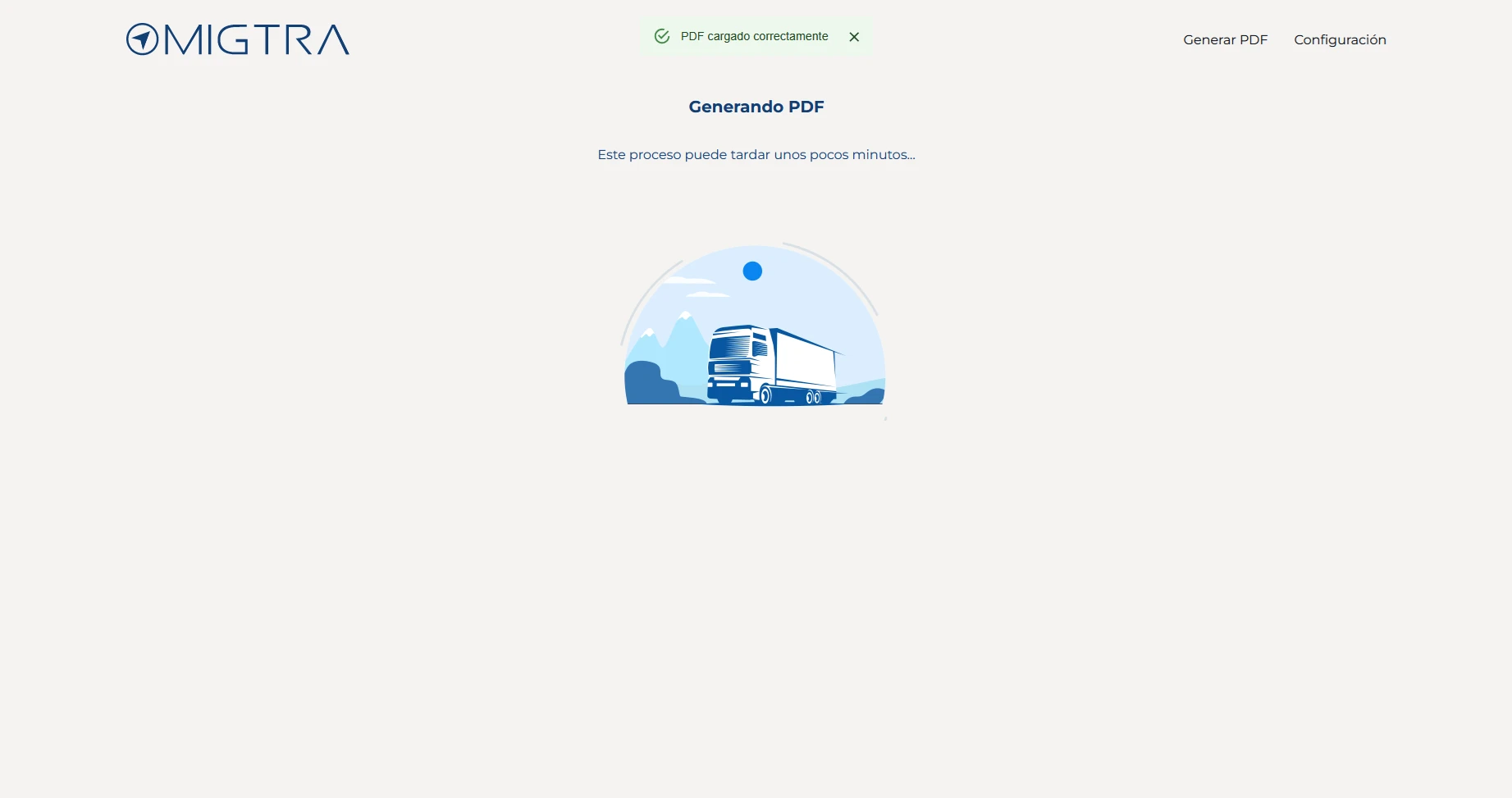
While processing, the frontend displays a loading animation with Lottie.
Screen 3 — Review
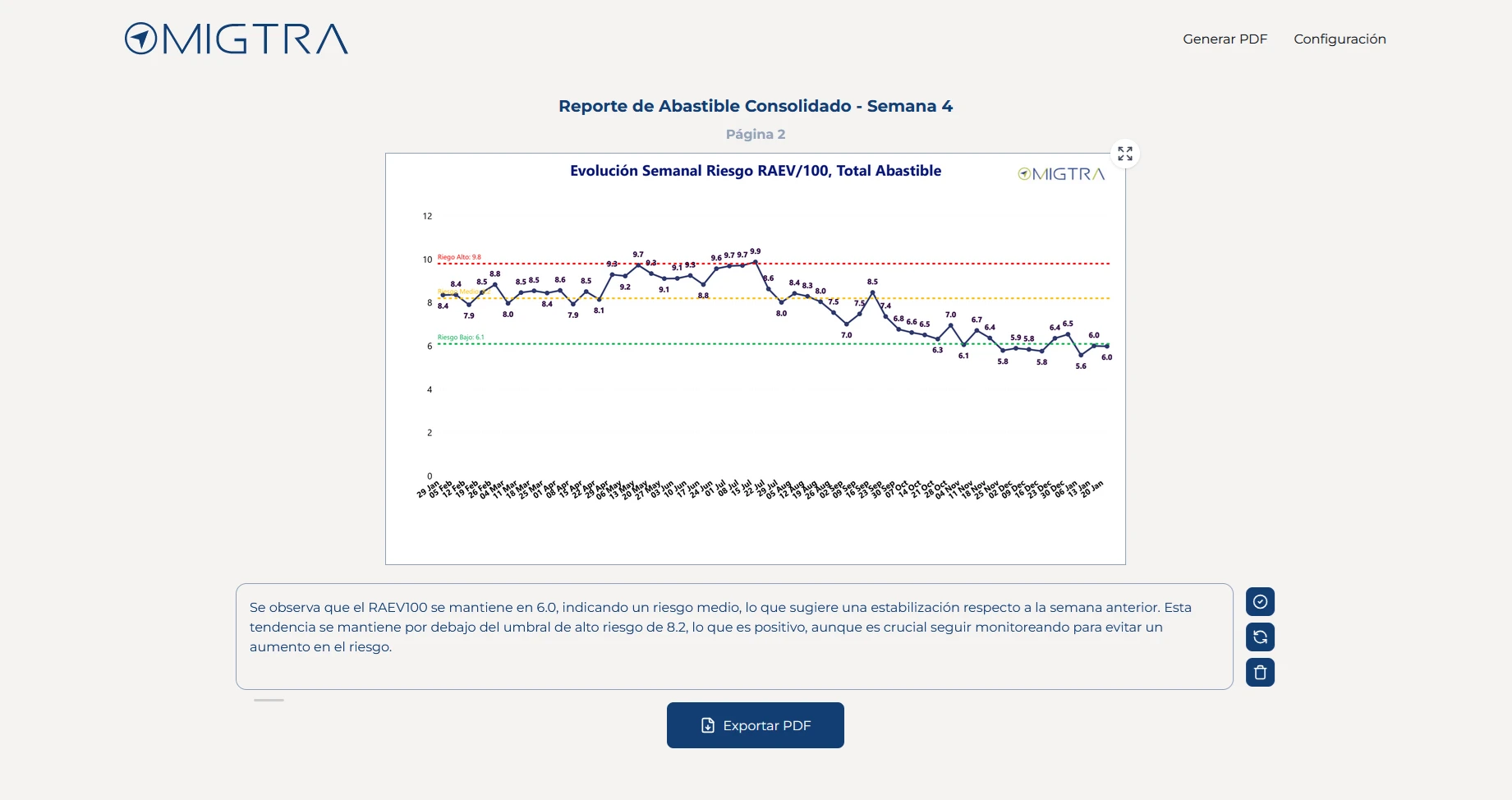
A card grid is rendered, each with:
- PNG image of the PDF page.
- Observation card (inline-editable on click).
- Buttons: approve (green border marker), AI-regenerate (
POST /regenerate-observation), delete.
Screen 4 — Export
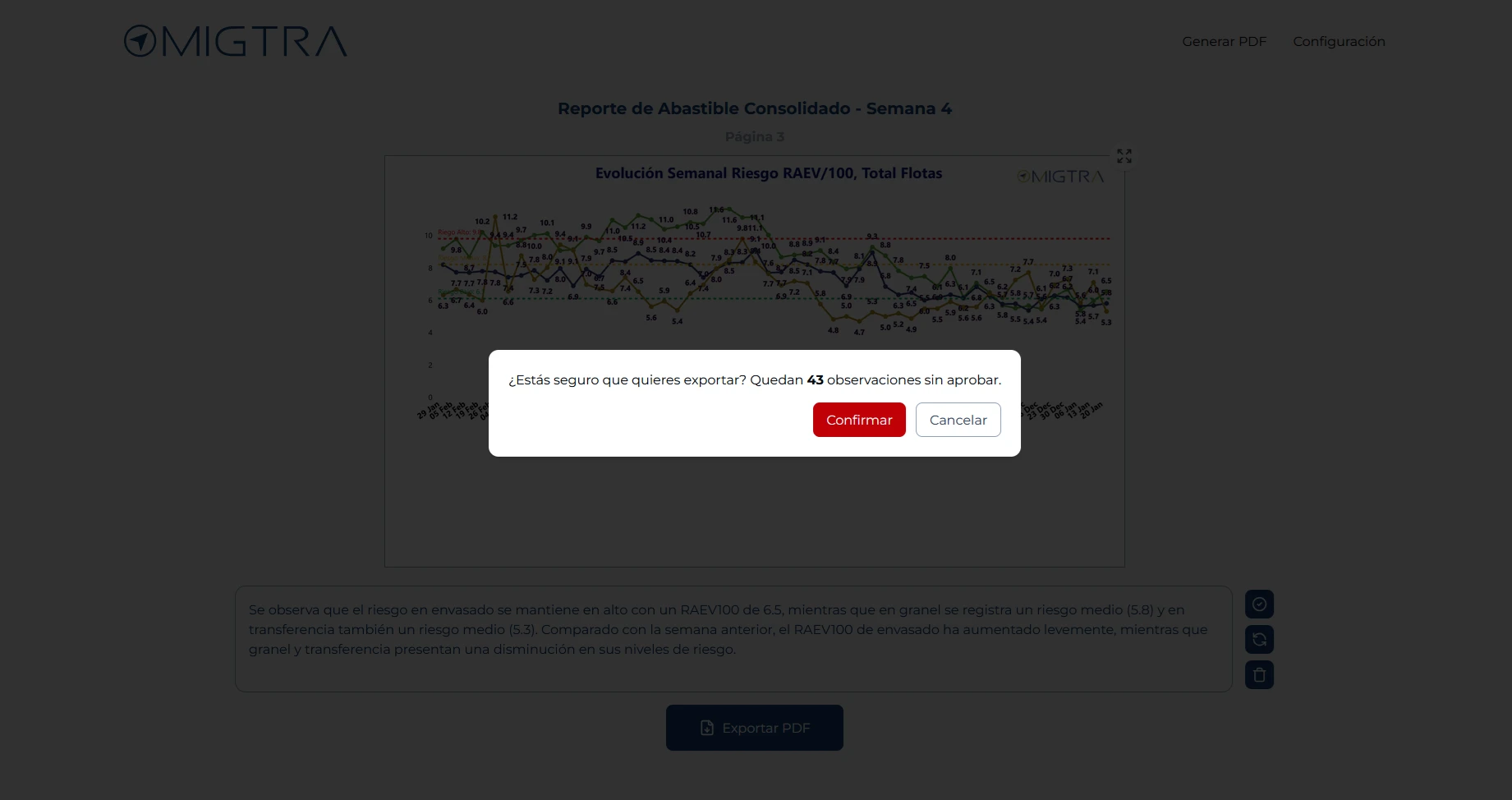
Pressing “Export” calls POST /apply-observations with the final observations JSON. The backend inserts each text into the PDF and returns the download URL, which opens in a new tab.
Multi-Client System (Plugin Pattern)
Each client lives in its own directory under backend/src/clients/<name>/ with exactly two files:
clients/
├── client_a/
│   ├── config.py      # Metadata constructor + title parser
│   └── filters.py     # Filtering functions by chart type
├── client_b/
│   ├── config.py
│   └── filters.py
└── ...config.py— Defines the client’s metadata (risk levels, text replacements, etc.) and a title parser that extracts parameters from each page’s title (dates, fleets, vehicle types) to pass them as arguments to the filtering functions.filters.py— Contains pure functions that receive a DataFrame and title-extracted parameters, and return the filtered subset of data. Each chart type (ranking,evolution,vehicles) has its own function.
To register a new client, an entry is added in three locations: get_filters.py, json_utils.py, and the CLIENTS dictionary in setup.py.
This design lets the application core (build_csv.py, run_observations.py, report_generator.py) operate generically without knowing each client’s specifics.
OpenAI Integration
Assistants API (not Chat Completions)
OpenAI’s Assistants API is used with the gpt-4o-mini model and the code_interpreter tool enabled. This gives the assistant a code execution environment to analyze the tabular CSV data before drafting the observation.
Per-page flow:
- A new thread is created per page (full isolation between observations).
- A message is sent with the prompt including: page title, CSV data as plain text, client context in JSON, and the reference week.
- The run is executed with
create_and_poll(synchronous wait until completion). - The assistant’s response is extracted from the thread history.
Parallelism
OpenAI calls run in parallel using ThreadPoolExecutor(max_workers=8). Each worker processes a different page, reducing total generation time from ~N sequential seconds to ~N/8 seconds.
Token Counting
tiktoken is used to count tokens before sending prompts, ensuring the model’s context window is not exceeded.
PDF Processing
All PDF manipulation is done with PyMuPDF in three stages:
1. Reading and Extraction
extract_titles()— Crops a defined area of the top 12% of each page (y0=0, y1=0.12) and extracts the text to identify the chart title.function_title()— Classifies the title into categories (ranking,evolution,vehicles,generic) via keyword analysis.- Pages without a recognizable title are marked as excluded and do not go through AI.
2. PNG Rendering
CSVExporter.exportPNG()— Renders each PDF page to a PNG image for frontend preview.
3. Observation Insertion
insert_observations()— For each approved observation, inserts an HTML block at a fixed page position (2%-98% width, 87%-98.5% height).- Uses
page.insert_font()to load Montserrat-Regular as the typeface. - Uses
page.insert_htmlbox()with inline CSS (font-size: 24px) to write the observation text preceded by the<b>Observation:</b>tag.
Frontend
Technologies and Architecture Decisions
- React 18 with TypeScript strict mode (
noUnusedLocals,noUnusedParameters). - Vite 6 as the bundler with the native TailwindCSS v4 plugin (no PostCSS or
tailwind.config.js). - TailwindCSS v4 for utility-first styling.
- MUI Material for supplementary UI components (dialogs, loaders).
- React Context API as the global state manager — a
PDFContextthat shares the PDF file, observations, PNGs, company, and week across all components. - AlertContext with a provider for toast notifications (success/error).
- React Router DOM v7 with two routes:
Home(upload) andReports(viewing and export). - React Dropzone for the PDF drag-and-drop area.
- Lucide React for iconography.
- LottieFiles dotlottie-react for loading animations.
Main Components
| Component | Role |
|---|---|
DragDrop | Dropzone that uploads the PDF via POST /upload and navigates to /reports |
PageCard | Responsive page grid, each with its PNG and ObservationCard |
ObservationCard | Inline-editable text + approve, regenerate, and delete buttons |
ExportButton | Sends POST /apply-observations and opens the final PDF in a new tab |
LoadingContainer | Lottie animation with spinner while observations are being generated |
ConfirmationDialog | MUI confirmation dialog before deleting/regenerating |
Approve / Regenerate / Delete | Individual action buttons per observation |
Technical Challenges and Learnings
Multi-client system design
The biggest architectural challenge was designing an abstraction to add new clients without modifying the processing core. The plugin pattern solved it: each client exposes its filtering and parsing logic through an implicit interface (two files with expected functions). The get_filters.py router acts as a dynamic dispatcher.
Parallelizing OpenAI calls
Sequential API calls to OpenAI for 30+ pages took over 2 minutes. Migrating to ThreadPoolExecutor with 8 workers reduced the time to ~20-30 seconds. The key learning was correctly managing OpenAI threads (each creates its own conversation thread) and collecting results with as_completed.
Parsing titles from PDF
Extracting structured information from each page’s titles required combining PyMuPDF’s implicit OCR with region cropping, text cleaning, and keyword-based classification. Additionally, each client has its own title parser to extract specific parameters (dates, fleets, types) from non-standardized title formats.
Typographic insertion in PDF
Inserting text into Power BI-generated PDFs presented challenges because PyMuPDF’s insert_htmlbox does not support all CSS properties. Embedded TTF fonts, proportional positioning, and minimal HTML with inline CSS produced a professional result.
TypeScript strict from day one
Setting up the project with noUnusedLocals and noUnusedParameters from day one enforced typing discipline and prevented dead code accumulation, although it required more rigor during development.
References
- FastAPI — Official Documentation.
- OpenAI — Assistants API.
- PyMuPDF — Documentation.
- Pandas — Documentation.
- React — Official Documentation.
- TailwindCSS v4 — Documentation.
- Vite — Documentation.
- TypeScript — Documentation.
- PyMuPDF — HTML Insertion in PDF.
- Python — concurrent.futures (ThreadPoolExecutor).